Choosing a tool4 min read
Free Clearspace Alternative: Pause Less, Block Every App Free
Clearspace adds a pause before distracting apps open, but users report its free version restricts just one app, and Premium is listed at $6.99 a month or $44.99 a year on the App Store. A free Clearspace alternative is Fluid Friction, where every blocking tool is free on iPhone and Android, with no account and no ads.
On this page (7 sections)
Clearspace is built on a good idea: put a small pause between the impulse and the app, and let the pause do the work. It adds challenges, streaks, budgets and accountability partners, and its App Store reviews are strong. If it works for you, keep it.
The usual reason people look for a Clearspace alternative is the free plan. Reviewers on the App Store and Play report that the free version restricts only one app, and Clearspace Premium is listed on the US App Store at $6.99 a month or $44.99 a year, with other plans up to $59.99 and a family plan at $79.99. One more thing worth knowing if you are on Android: the Google Play version was last updated in October 2025. We build one of the alternatives, Fluid Friction, so read this as interested rather than neutral.
Clearspace vs Fluid Friction
From Clearspace's App Store and Google Play listings and user reviews, checked in October 2026.
| Clearspace | Fluid Friction | |
|---|---|---|
| iPhone and Android | Yes | Yes |
| Pause or challenge before an app opens | Yes | Calm block screen with opens left |
| Apps you can restrict on the free plan | One, according to reviewers | Every app |
| Time limits | Yes | Yes, plus schedules, free |
| Accountability partner | Yes | PIN lock with a friend or parent, free |
| Remove Reels and Shorts, keep the app | Not described in its listings | Yes, free |
| Friction on the feed you keep | No | Yes, on every swipe |
| Price | Premium $6.99 a month or $44.99 a year | Free, optional cosmetic subscription |
| Last Android update | October 2025 | October 2026 |
What Clearspace does well
- The pause is well designed. A short wait or challenge before an app opens is a proven way to catch the reflexive tap.
- Challenges and streaks. It turns staying off an app into something you can get better at.
- Accountability partners, who help you keep the goals you set.
- A Chrome extension, alongside the phone apps.
Why people look for a Clearspace alternative
One app is not enough. Most people have three or four apps that pull at them. If the free plan covers one, the useful version is the paid one. Fluid Friction blocks every app you choose for free; its optional subscription only changes themes and dark mode.
The pause wore off. A pause happens once, at the door, and the brain learns to sit through it. That pattern, and what to do about it, is in the one sec alternative guide, since one sec works the same way.
The app is fine, the feed is the problem. A pause guards the whole app. If what you want is Instagram without Reels, you need something that reaches one feed inside the app, which a pause tool cannot do.
What Fluid Friction does differently
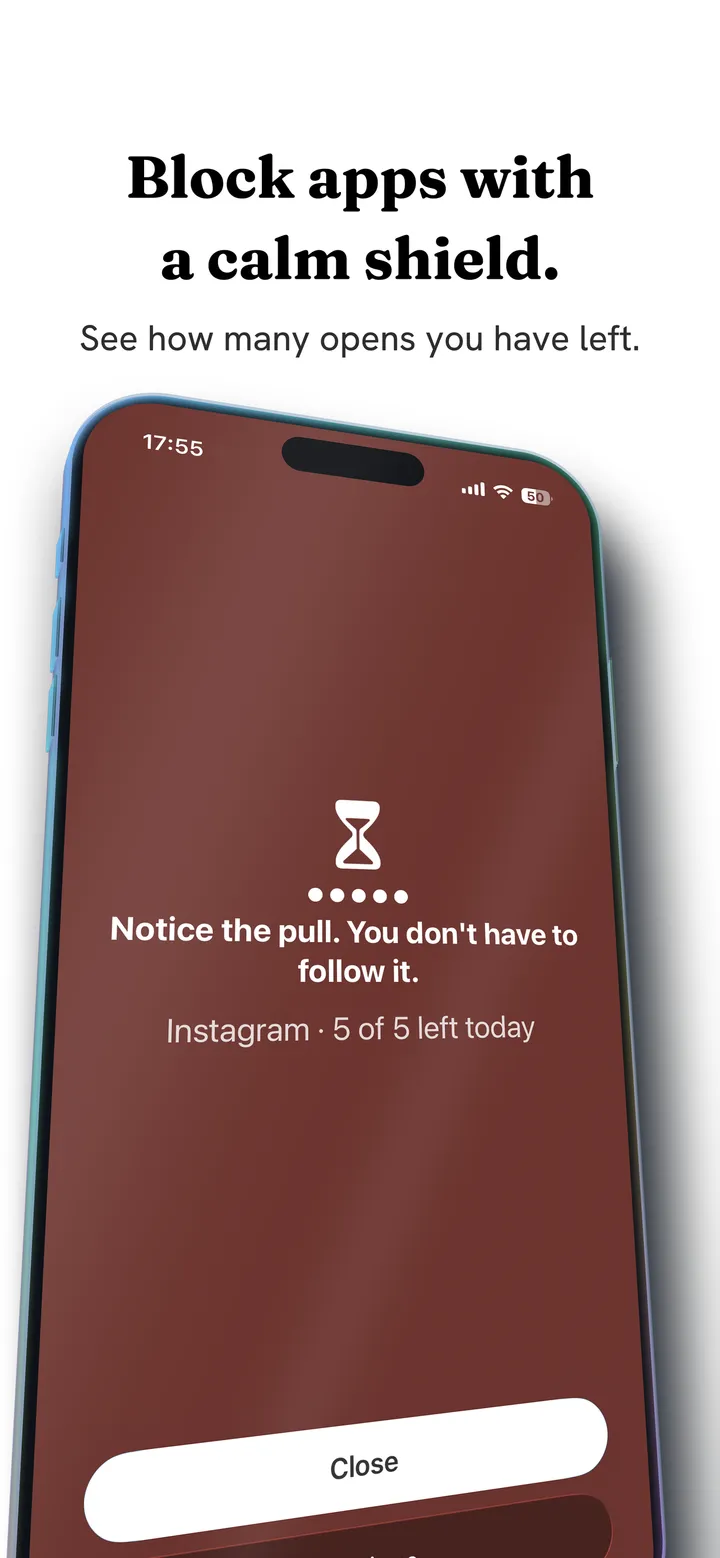
Fluid Friction has a door too: whole apps behind a calm screen that counts how many opens you have left today, with schedules and daily open limits. The difference is what happens once you are in. On Android, Feature Blocking closes Reels, Shorts, TikTok For You and Snapchat Spotlight inside the real apps; on iPhone, those apps open in its own browser with the same feeds switched off.
And every swipe on the feed you keep drags through on screen fluid. Past a threshold, a bubble has to rise off the screen before the feed moves, so the resistance comes back on every swipe instead of once at the door.
It is free on Google Play and the App Store. Why a pause and a wall each fail in their own way is the subject of friction versus blocking.
What to check before you switch
A short list that applies to every app here, ours included.
- What the free version covers. One app, three apps or all of them changes everything about whether the free plan is usable.
- Whether the price is weekly, monthly, yearly or lifetime. The totals differ more than the headline numbers suggest.
- Whether it reaches the feed or only the app. A pause or a limit guards the whole app; removing Reels while keeping messages needs a tool that works inside it.
- How recently it was updated on your phone. Android changes accessibility and battery rules often, and a blocker that is not kept up tends to stop working quietly.
- How it fails. Every tool does. You want the one whose failure mode is you scrolling a little anyway, not you deleting it at a bad moment, which is the pattern described in why app blockers don't work.
Clearspace alternatives, compared on price
From each app's store listing, checked in October 2026. Google Play figures are the range of in-app purchases; App Store figures are named plans.
| App | Free version | Paid |
|---|---|---|
| Fluid Friction | Every blocking tool, every app | Optional cosmetic subscription only |
| ScreenZen | Everything | Optional tips on iPhone, $5 to $40 |
| one sec | One app | $3.99 to $99.99 on Google Play |
| Clearspace | One app, according to reviewers | $6.99 a month or $44.99 a year on the App Store |
| Opal | Limited, account required | $2.99 to $79.99 on Google Play |
Common questions
Is Clearspace free?
Clearspace is free to download, but reviewers report that the free version restricts only one app. Clearspace Premium is listed on the US App Store at $6.99 a month or $44.99 a year. Fluid Friction is a free alternative that blocks every app you choose at no cost.
How much is Clearspace Premium?
On the US App Store, Clearspace Premium is listed at $6.99 a month and $44.99 a year, with other plans at $49.99 and $59.99 and a family plan at $79.99. Prices vary by country.
Is Clearspace on Android?
Yes, Clearspace is on Google Play with over 100,000 installs, though the Android app was last updated in October 2025. Fluid Friction is updated on both Android and iPhone.
What is a good free alternative to Clearspace?
Fluid Friction blocks every app you choose, removes single feeds like Reels and Shorts, and adds friction to the feed you keep, all free. ScreenZen is also free and keeps the pause before an app opens, if the pause is what you liked.
Is a pause or friction better?
A pause asks once per session and can become part of the habit. Friction resists on every swipe, so it cannot be absorbed the same way. If you want to be stopped entirely, neither is right and a hard block with someone else holding the code fits better.