Choosing a tool4 min read
ScreenZen Alternative: When the Pause Is Not Enough
ScreenZen is free and well loved: it pauses you before a distracting app opens, with limits and schedules, funded by optional tips. People look for a ScreenZen alternative when the pause stops working or when they want one feed gone rather than the whole app. Fluid Friction is free too, and removes Reels and Shorts while adding friction to every swipe.
On this page (7 sections)
ScreenZen is one of the most liked apps in this category, and for good reason. It is free. On the App Store its only in-app purchases are optional tips, from $5 to $40, and on both stores it carries some of the highest ratings around. If it works for you, there is no reason to switch.
So this is not a page about price. People look for a ScreenZen alternative for two other reasons: the pause before an app opens stopped working for them, or they want a single feed like Reels gone while the rest of the app stays. We build one of the alternatives, Fluid Friction, so read this as interested rather than neutral.
ScreenZen vs Fluid Friction
From each app's store listings, checked in October 2026. Both are free.
| ScreenZen | Fluid Friction | |
|---|---|---|
| Price | Free, optional tips on iPhone | Free, optional cosmetic subscription |
| iPhone and Android | Yes | Yes |
| Pause before an app opens, growing with each use | Yes | No, a calm block screen with opens left |
| Limits, schedules and strict blocks | Yes | Yes |
| Remove Reels and Shorts, keep the app | Not described in its listings | Yes |
| Friction on the feed you keep | No | Yes, on every swipe |
| Website blocking | Yes | On iPhone, through Screen Time |
What ScreenZen does well
- It is free. No paywall, and on iPhone the only purchases are tips.
- A pause that grows. The wait before an app opens can get longer each time, which makes the fifth open of the evening harder than the first.
- Interrupts long sessions. It can cut time on an app into short bursts.
- Counts only what matters. It tracks time on distracting apps only, so maps and messages do not distort your numbers.
- Strong ratings on both the App Store and Google Play.
Why people look for a ScreenZen alternative
The pause wore off. A pause happens once, at the door. After a few weeks many people wait it out on autopilot, and the wait becomes the first step of the habit instead of a break in it. The same thing happens with every pause based tool, which is why the one sec alternative guide covers it in detail.
They want the feed gone, not the app. ScreenZen's store listings describe pauses, limits and blocking for apps and websites. They do not describe removing Reels or Shorts from inside an app while messages keep working, which is what most people mean when they search for blocking Reels.
Once inside, nothing changes. After the pause, the feed moves as freely as ever. If a five minute check turns into forty, the door was not where it went wrong.
What Fluid Friction does differently
On Android, Feature Blocking closes Instagram Reels, YouTube Shorts, TikTok For You and Snapchat Spotlight inside the real apps; the setup is in how to block Instagram Reels on Android. On iPhone, those apps open in Fluid Friction's own browser with the same feeds switched off, which how to block Instagram Reels on iPhone walks through.
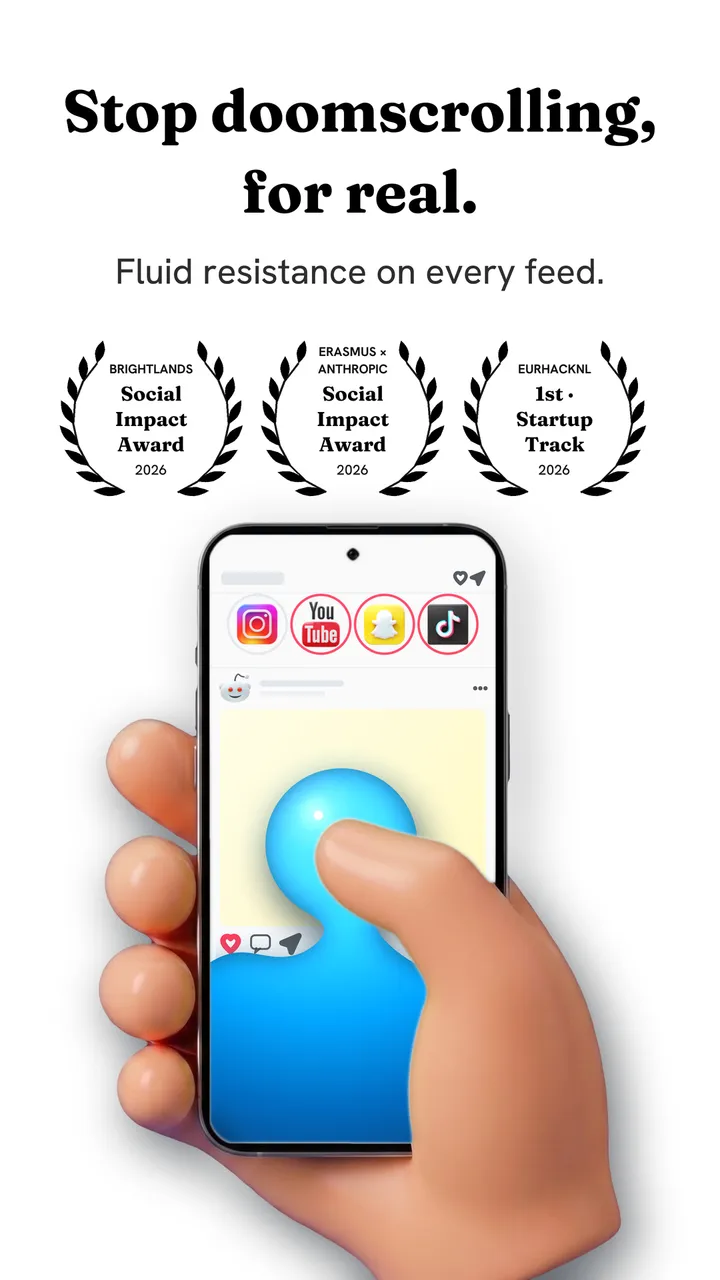
Then the mechanism that replaces the pause: every swipe drags through on screen fluid, and past a threshold a bubble has to rise off the screen before the feed moves. It cannot fade into a ritual, because it comes back on every swipe.
There is a door as well, if you want one: whole apps behind a calm screen that counts your opens left today, schedules, a focus timer and NFC profiles. It is free on Google Play and the App Store.
Keeping what worked when you switch
If ScreenZen helped for a while, the useful parts carry over.
- Keep a door for the worst apps. Put the one or two apps you open on reflex behind Fluid Friction's block screen with a small daily number of opens, so the first tap still meets something.
- Match the strength to the hour. A flat setting is wrong at both ends of the day. Smart Friction has schedules such as Night Guard, gentle in the day and stronger after 10pm.
- Remove the feed you never wanted. Switch off Reels or Shorts and keep the rest of the app, rather than limiting the whole app.
- Give it three weeks. Every tool works in week one, because it is new. Week three is the honest test, and the reason friction behaves differently from a pause is laid out in how scroll friction works.
Which one to pick
- The pause still works for you: stay with ScreenZen. It is free and good.
- The pause stopped registering: try friction, which acts on every swipe.
- Your problem is Reels or Shorts, not the whole app: you want feed blocking, which Fluid Friction has for free.
- You want to be locked out completely: a strict blocker such as AppBlock fits better than either.
Common questions
Is ScreenZen free?
Yes. ScreenZen is free on iPhone and Android. On the App Store its only in-app purchases are optional tips from $5 to $40. Fluid Friction is also free, so the choice between them is about how each one works rather than price.
Does ScreenZen block Reels?
ScreenZen's store listings describe a pause before apps open, time limits, schedules and blocking for apps and websites, not removing Reels from inside Instagram. Fluid Friction removes Reels, Shorts, TikTok For You and Snapchat Spotlight while keeping the rest of each app.
What is a good ScreenZen alternative for Android?
Fluid Friction is free on Android and blocks single feeds inside the real apps, then adds friction to every swipe. If you liked the pause itself, one sec works the same way, free for one app.
Why did the ScreenZen pause stop working for me?
Because a pause happens once per session, and after a few weeks waiting it out becomes part of the habit. A mechanism that resists on every swipe, like friction, cannot be absorbed the same way.
Can I use ScreenZen and Fluid Friction together?
Yes. ScreenZen can guard the door while Fluid Friction removes Reels and adds friction inside. On Android, avoid blocking the same app in both, so they do not fight over the same screen.