How friction works5 min read
A QR Code Alarm Clock for iPhone: Scan Your Coffee Bag to Stop It
A QR code alarm clock rings until you scan a code with your iPhone's camera. In Fluid Friction the code can be any QR code or product barcode you already own, such as your coffee bag or a soda can, so there is nothing to buy. Put it in the kitchen and turning the alarm off means walking there. It is free.
On this page (7 sections)
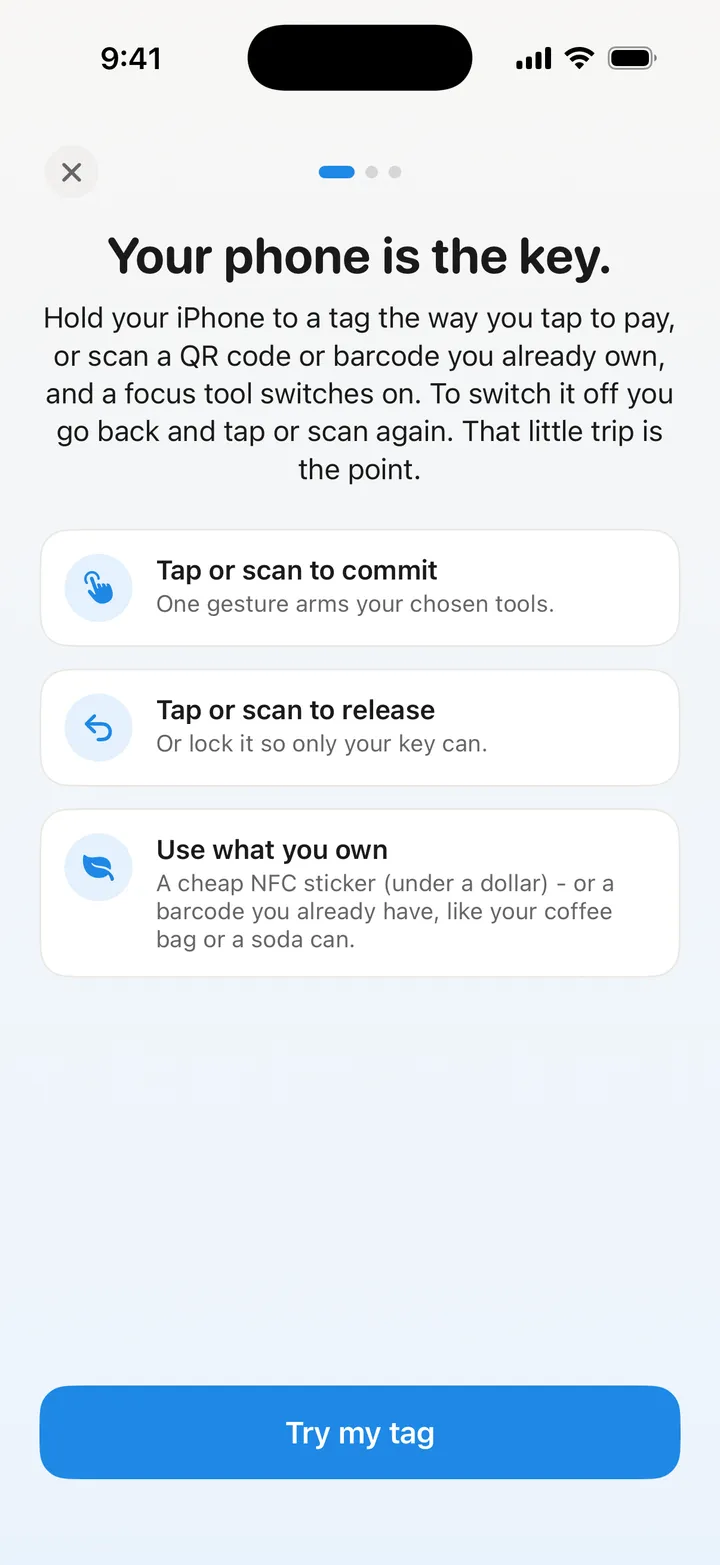
A QR code alarm clock is the simplest version of a good idea: the alarm only stops when your camera sees one particular code, and that code is somewhere other than your bed. You cannot scan a coffee bag in the kitchen while lying down, so by the time the ringing ends you are already up.
Most people assume they need to print a code or buy a tag. You do not. Any product barcode works, and your kitchen already has a dozen.
Why a QR code alarm clock works when louder alarms do not
A louder alarm wakes you up. It does not get you up, because the off switch is still on the pillow next to you. Half asleep, you will do whatever is closest, and the closest thing is always the button.
Scanning changes the distance. The decision to get up is no longer a decision you make in bed; it is a walk you have to take to make the noise stop. By the time you reach the code you are standing, the lights are on, and going back to bed is a choice rather than a reflex.
There is a second effect that matters more than it sounds. Once you are at the kettle with your phone in your hand, the next thing you do is usually open a feed. That is why the alarm in Fluid Friction ends with a morning block, more on that below.
Which codes work, and which to avoid
Fluid Friction reads the code with the camera and remembers what it says. When the alarm rings, scanning the same code turns it off. Both QR codes and the ordinary product barcodes on packaging work.
Good choices are things that stay where they are:
- A tin or jar you refill, like a coffee or tea tin by the kettle.
- A toothpaste tube in the bathroom, replaced with the same product.
- A QR code you print once and tape inside a kitchen cupboard door.
- A cereal box or soda can if you always buy the same one.
Two to avoid. First, anything you will finish this week and throw away; a used up coffee bag is a lost key. Same brand and size is usually the same barcode, but test the new one. Second, anything in the bedroom. If you can scan it from bed, you will.
One practical note: a camera needs some light. A code next to a light switch is better than one in a dark corner.
How to set up a QR code alarm clock on iPhone
You need an iPhone with a camera and about two minutes. For a true system alarm that rings through Silent, the iPhone needs iOS 26 or later.
Install Fluid Friction and open Sleep & Alarm
Fluid Friction is free on the App Store. In the Tools tab, choose Sleep & Alarm and allow alarms when iOS asks.
Set the time and days
Pick when it rings and which days it repeats.
Choose "Scan a QR code or barcode"
Point the camera at your code. The app saves it as your key, for example "My barcode".
Test the scan
Tap "Test the scan" and scan it again from where it will live, in that room's light. If it reads as a different code, pick another one.
Choose Normal or Strict
Normal keeps a long typed fallback in case the code goes missing. Strict does not. Snooze stays off unless you turn it on.
What happens when the alarm rings
The alarm rings as a real system alarm. To turn it off you open the app and scan your code. Everything else just postpones it:
- Sliding Stop silences that one ring. Another follows within seconds, and they keep coming until you scan.
- The volume buttons do not help for long, because the app holds the volume up while the alarm rings.
- Force quitting does not help, because the follow up alarms are already scheduled with iOS.
If the code is gone or the camera will not read it, Normal mode lets you type a long fallback sentence. Strict mode keeps only an even longer emergency sentence, so you can never be trapped. Either way, the morning goes down as missed, and your rise streak resets. The app does not fake success.
Prefer to tap rather than scan? The same alarm takes an NFC tag instead, which works in the dark and is faster half awake. That setup is covered in the NFC alarm clock for iPhone guide.
After the scan: a morning without the feed
You walked to the kitchen. The phone is in your hand. This is the moment most mornings are lost, and it is the reason Fluid Friction has an alarm at all.
- Morning block. The feed apps you choose stay blocked after you scan, 30 minutes by default. If staying in bed with your phone is the habit you are fighting, how to stop bedrotting is worth a read too.
- A second code in another room. Optional. After the first scan, the alarm comes back unless you also scan a second key, say a barcode in the bathroom. It is off by default.
- Wake challenges for travel. No code with you? Solve a few math problems or type a scrambled sentence instead.
The rest of Fluid Friction is about the same moment at other times of day: friction on the scroll itself rather than a wall, so a feed still works but stops being automatic.
Is it really free?
Yes. Scanning to stop the alarm, NFC keys, challenges, the morning block and the wind-down are all free, with no account. The optional Pro subscription unlocks cosmetics such as the Night wake screen. If you are comparing apps on price, our free Alarmy alternative page sets the two side by side.
Common questions
Can I use any barcode to turn off the alarm?
Any QR code or ordinary product barcode the camera can read. Pick something that stays in one place, like a tin you refill, and test the scan from where it lives, in that room's light.
Do I need to print a QR code?
No. Product barcodes on packaging work just as well, so most people use something already in the kitchen or bathroom. Printing a QR code is a good choice if you want one that never gets thrown away.
What if I run out of the product I scanned?
The same product in the same size usually carries the same barcode, so a new pack often works. Test it, and if it reads differently, set it as your new key from the alarm editor.
Can I just swipe the alarm away?
You can slide the system Stop, because iOS always shows it. The alarm rings again within seconds and keeps returning until you scan your code. Force quitting the app does not end the follow up alarms.
Does a QR code alarm clock work on iPhone when it is on Silent?
On iOS 26 and later, yes, because the app uses Apple's AlarmKit for a real system alarm. On iOS 17 to 25 it falls back to notifications, which Silent and Focus can mute.