On Android? This guide is for iPhone. Read the Android guide
How friction works6 min read
A Free NFC Alarm Clock for iPhone That Gets You Out of Bed
An NFC alarm clock for iPhone only stops when you hold your phone to a tag you placed away from your bed, so turning it off means standing up. Fluid Friction does this for free on iOS 26 and later, with any NFC tag you already own, and it keeps your feed apps closed for a while after you wake.
On this page (7 sections)
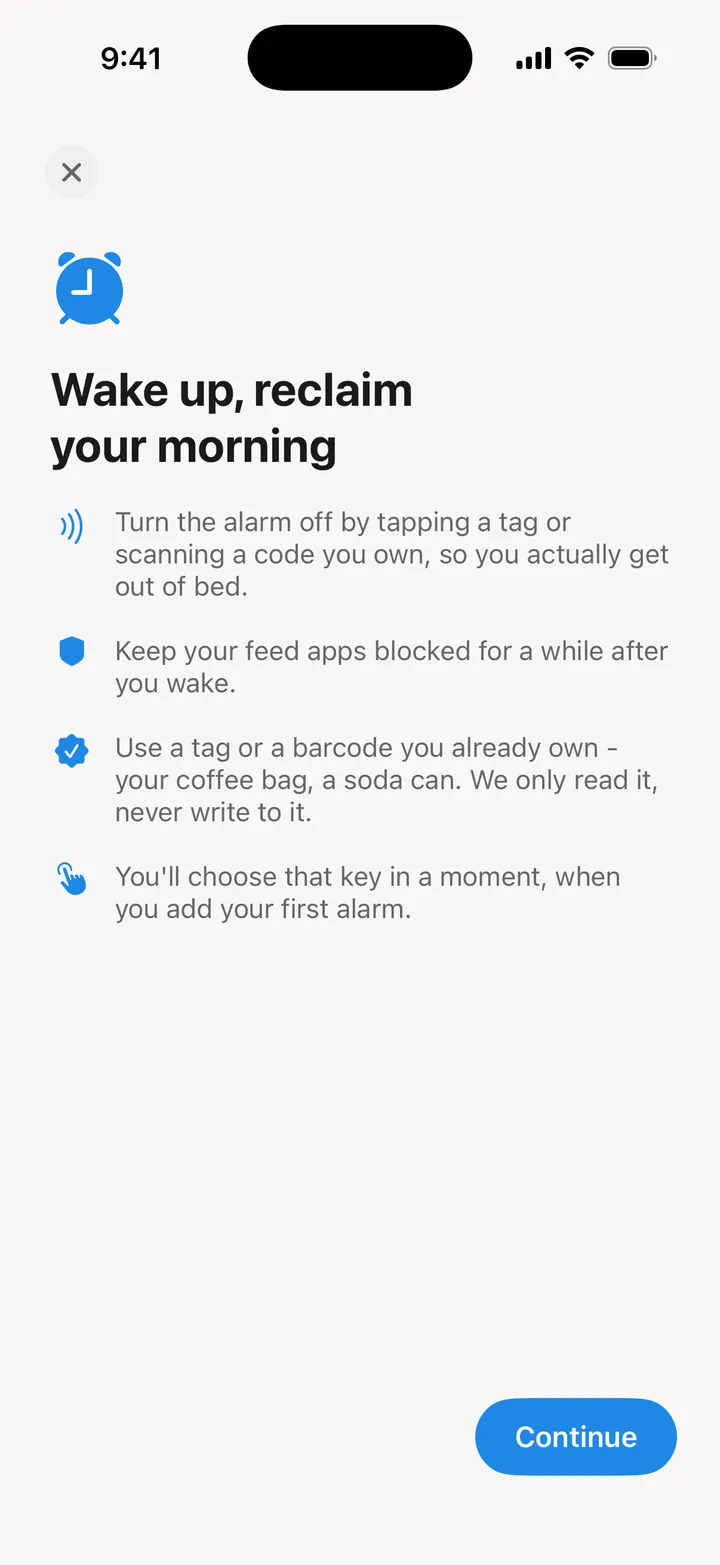
The snooze button is not the real problem. The real problem is that the thing which turns the alarm off is in your hand, in bed, warm, with the screen already lit and Instagram one swipe away. An NFC alarm clock for iPhone moves the off switch to the other side of the room, and that one change does more than any louder ringtone.
The idea is old, and on Android it has worked for years. On iPhone it was not possible to do properly until recently, because Apple did not let third party apps ring a real alarm. That changed with iOS 26.
How an NFC alarm clock for iPhone works
Every NFC tag carries a hardware ID. When you set up the alarm, the app reads that ID once and remembers it. When the alarm rings, it wants that same ID again, and nothing else turns it off.
The tag does not need to be programmed. Fluid Friction never writes to it, so a blank NFC sticker or a key fob works. Bank cards and some other secure cards hand out a different ID on every read, which is why setup asks you to test the tag twice before you rely on it.
Where the tag lives is the whole design. Put it somewhere you have to walk to, and somewhere that leads you into your morning rather than back to bed:
- The bathroom mirror. You are already standing at the sink.
- The kettle or coffee machine. The walk ends where breakfast starts.
- The front door. Good for runners and early commutes.
The bedside table is the one place not to put it. You will learn to tap it with your eyes closed within a week.
Why the iPhone needed iOS 26 for this
Before iOS 26, third party alarm apps on iPhone were scheduled notifications. A notification respects the Silent switch and Focus modes, so the "alarm" could simply not make a sound, and the app had no way to fix that.
iOS 26 added AlarmKit, which lets an app schedule a real system alarm. It rings through Silent and through Focus, the same way the built in Clock app does. Fluid Friction uses AlarmKit whenever it is available.
On iOS 17 to 25 the app still works, but it falls back to notifications, which a Silent switch or a Focus mode can mute. If you depend on the alarm to get up for work, update to iOS 26 first. We would rather say that plainly than have you find out on a Monday.
What happens when you try to cheat it
iOS always draws its own Stop control on an alarm, and no app can remove it. So instead of pretending the button is not there, Fluid Friction makes it pointless.
- Slide to stop. The ringing ends, and comes back within seconds. It keeps coming back until the tag is scanned.
- Turn the volume down. While the alarm rings, the app holds the volume up.
- Force quit the app. The follow up alarms are already scheduled with the system, so they ring anyway.
- Edit the alarm. While a morning is unresolved, alarm settings are locked.
There are two modes. In Normal the tag turns it off, and if you have lost the tag you can type a long fallback sentence instead. It is long on purpose, so walking to the tag is easier. In Strict the tag is the only way, apart from an even longer emergency sentence that exists so nobody is ever trapped by a broken tag.
If you bypass a morning, the app records it as missed. Your rise streak ends. It does not quietly count it as a success.
How to set up an NFC alarm clock on iPhone
Setup takes about two minutes. You need an iPhone on iOS 26 or later for a true system alarm, and an NFC tag. Every iPhone that runs iOS 17 can read tags.
Install Fluid Friction and open Sleep & Alarm
Fluid Friction is free on the App Store. Open the Tools tab, choose Sleep & Alarm, and allow alarms when iOS asks. That permission is what lets it ring through Silent.
Choose when it rings
Pick a time and the days it repeats. Leave a label if it helps you remember why you set it.
Tap an NFC tag to make it your key
Choose "Tap an NFC tag" and hold the top of your iPhone to the tag. Then tap "Test it reads" once more, so you know it reads the same way every time.
Pick Normal or Strict, and leave snooze off
Normal keeps a typed fallback for a lost tag. Strict does not. Snooze is off by default; you can allow up to three if you need them.
Stick the tag where you have to walk
Put it on the far side of the room, or better, in another room. Then test the alarm once in the evening, so the first real ring is not the first ring.
The part that is about your phone, not your alarm
Getting out of bed is half of it. The other half is the twenty minutes that follow, which for most people are spent in a feed. That is where Fluid Friction comes from: it is a screen time app built on friction, and the alarm is designed to hand you to the morning without handing you to Instagram.
- Morning block. After you scan the tag, the feed apps you pick stay blocked for 30 minutes by default. You choose the length. In Strict, only the tag ends it early.
- Stay out of bed. An optional second key in another room. After the first scan, the alarm comes back unless you scan the second one too, which beats the trick of tapping the first tag and crawling back under the covers.
- Wind-down. A bedtime goal and a quiet reminder, because the morning usually goes wrong the night before. More on that in why you scroll at night.
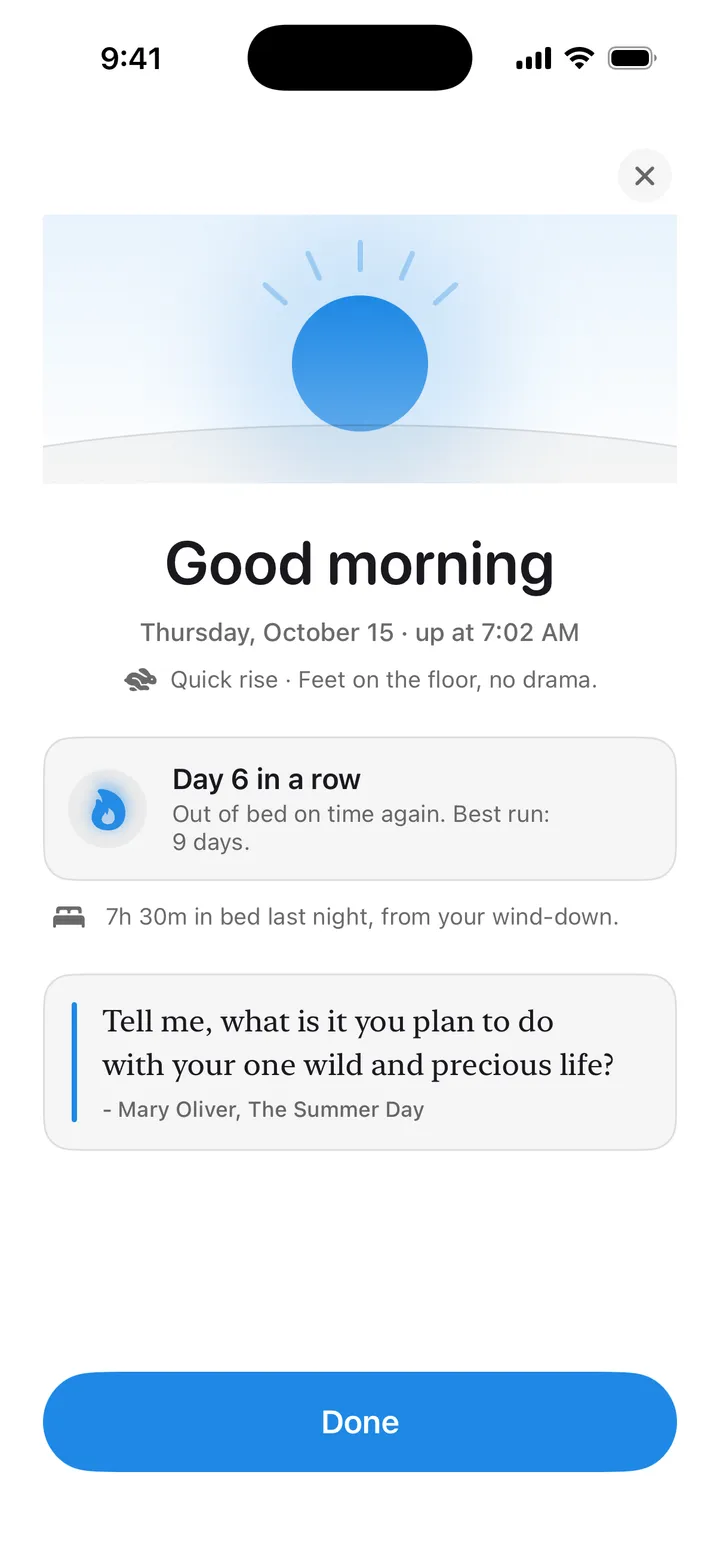
Same tags, different jobs. A tag you already use to block apps with a tap can also be your alarm key. While the alarm rings, a tap turns it off; the rest of the day, it does its usual job.
What it costs
Nothing. The alarm, NFC and barcode keys, wake challenges, the morning block and the wind-down are all free in Fluid Friction, with no account. Fluid Friction Pro is an optional subscription that unlocks cosmetics such as the Night wake screen and extra themes. No alarm feature sits behind it.
No tag yet? You do not need one to start. A QR code alarm clock works the same way with the barcode on your coffee bag. And if you are leaving another alarm app because of its price, the free Alarmy alternative page compares the two honestly.
Common questions
Can an iPhone alarm be turned off with an NFC tag?
Not with Apple's Clock app. A third party app like Fluid Friction can do it on iOS 26 and later, using Apple's AlarmKit for the ringing and the iPhone's NFC reader for the tag.
What NFC tags work with the alarm?
Any tag with a fixed ID, such as a blank NFC sticker or a key fob. The app only reads the ID and never writes to the tag. Bank cards and some secure cards change their ID on every read, so setup asks you to test the tag first.
Can I just press Stop on the lock screen?
You can slide it, because iOS always shows Stop. The alarm then rings again within seconds and keeps coming back until you scan your tag. Force quitting the app does not stop the follow up alarms either.
Does it ring when my iPhone is on Silent?
On iOS 26 and later, yes, because it is a real system alarm. On iOS 17 to 25 it falls back to notifications, which Silent and Focus can mute, so update before you rely on it.
What if I lose the tag?
In Normal mode you can type a long fallback sentence instead. In Strict mode there is only an even longer emergency sentence, which exists so a lost tag never traps you. Either way the morning counts as missed.
Is the NFC alarm free?
Yes. The alarm, the NFC and barcode keys, the morning block and the wind-down are free, with no account. The optional Pro subscription covers cosmetics such as the Night wake screen.