Choosing a tool4 min read
Free AppBlock Alternative: Every Blocking Tool Free, No Limits
AppBlock is a strong app and website blocker, but its free plan caps Quick Block at 3 apps and 3 websites, allows 3 schedules and limits Strict Mode, with Premium at $4.99 to $14.99 a month on the App Store. A free AppBlock alternative is Fluid Friction, where every blocking tool is free on iPhone and Android, with no account and no ads.
On this page (7 sections)
AppBlock has earned its place. More than ten million people on Google Play use it to block apps and websites, run schedules by time, location or Wi Fi, and lock their settings with Strict Mode. If it works for you on the free plan, keep it.
The usual reason people look for an AppBlock alternative is the free plan's ceiling. According to AppBlock's own pricing page, Quick Block covers up to 3 apps plus 3 websites or keywords, you get 3 schedules, usage limits stop at 30 minutes a day and Strict Mode at 24 hours. Premium lifts all of that. On the US App Store it is listed at $4.99 to $14.99 a month or $29.99 to $59.99 a year, and the Google Play listing shows in-app purchases from $0.99 to $119.99. We build one of the alternatives, Fluid Friction, so read this as interested rather than neutral.
What AppBlock's free plan includes, and what Premium adds
Taken from AppBlock's pricing page and its free versus Premium comparison for iOS, checked in October 2026. The two sometimes differ by platform, so check the Premium screen inside the app for your phone.
| AppBlock free | AppBlock Premium | Fluid Friction | |
|---|---|---|---|
| Apps per quick block | 3 apps, 3 websites | Unlimited | Unlimited, free |
| Schedules | 3 (2 on iOS) | Unlimited | Unlimited, free |
| Usage limits | 30 minutes a day | Unlimited | Daily open limits, free |
| Strict Mode | Up to 24 hours | Unlimited | PIN lock with a friend or parent, free |
| Block Reels and Shorts, keep the app | On Android, plan not stated | On Android | Yes, free |
| Friction on the feed you keep | No | No | Yes, on every swipe |
| Desktop browser extensions | Yes | Yes | No |
| Price | $0 | $4.99 to $14.99 a month, $29.99 to $59.99 a year | $0 |
AppBlock alternatives at a glance
- Fluid Friction. iPhone and Android, free with no ads and no account. Blocks apps, schedules and single feeds like Reels and Shorts, and adds friction to every swipe on the feed that remains.
- ScreenZen. iPhone and Android, free, funded by optional tips on iPhone. A pause before distracting apps open, with limits and schedules. See the ScreenZen alternative guide.
- Opal. iPhone first, with an Android app. Strong blocking, but its core features need a paid plan and an account. See the Opal alternative for Android.
- one sec. iPhone and Android. A breathing pause before an app opens, free for one app; covered in the one sec alternative guide.
What AppBlock does well
A comparison that finds nothing good in the other app is not a comparison.
- Websites and desktop. AppBlock blocks websites and keywords as well as apps, and has browser extensions for PC and Mac. Fluid Friction is a phone app.
- Location and Wi Fi schedules. Blocks can switch on by time, place or network, which suits study and work routines.
- Strict Mode. Once on, it is hard to undo, which is what some people need.
- It blocks feeds, not only apps. On Android, AppBlock can block Reels, Shorts, Stories and Spotlight inside the apps, so you keep messages.
- Scale. Ten million installs and a long track record.
Why people look for an AppBlock alternative
The free plan runs out. Three apps per quick block and three schedules is enough to try the idea, and not enough for most phones. Fluid Friction has no caps on any blocking tool, and says so on the record: the optional subscription only changes themes and dark mode.
Blocking alone stopped working. A block is a wall, and walls get switched off at a bad moment. The other way is to keep the app open and make the scroll itself cost effort, which is the subject of friction versus blocking.
They want the feed gone, not the app. If the problem is Reels rather than Instagram, the useful tool removes one surface and keeps the rest, which is covered step by step in how to block Instagram Reels on Android.
What Fluid Friction does differently
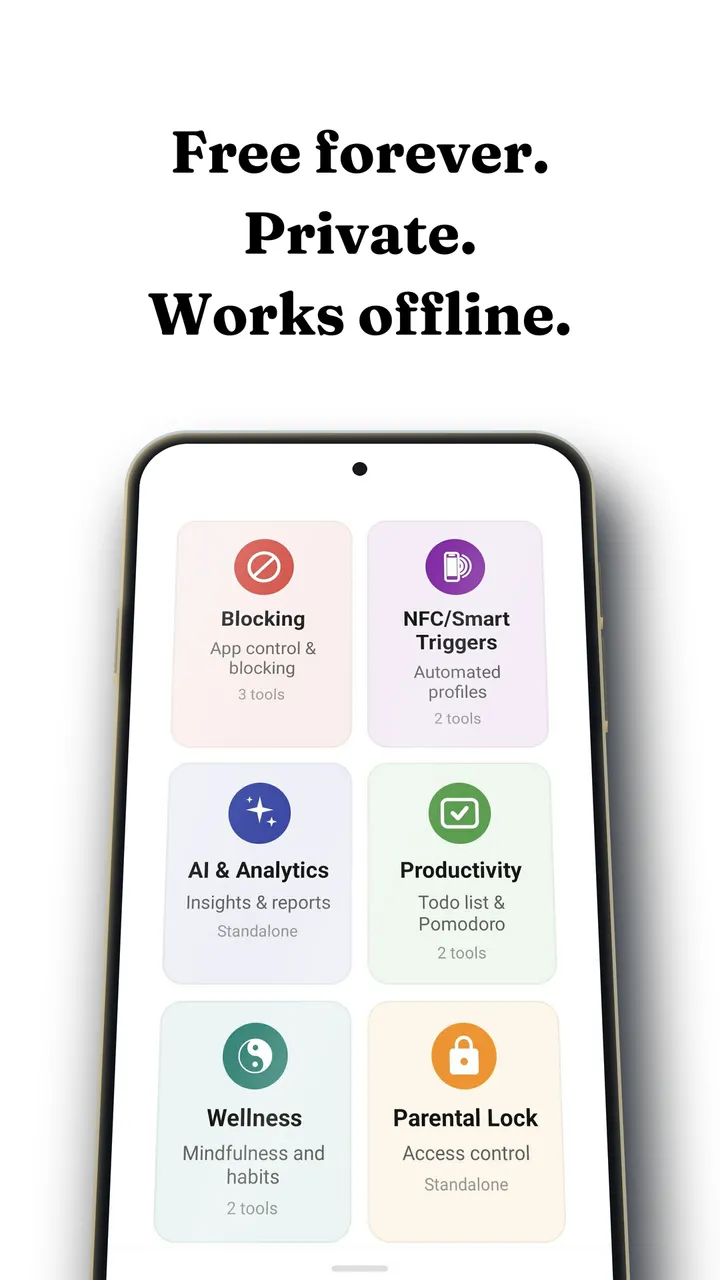
Fluid Friction blocks too: whole apps behind a calm screen that shows how many opens you have left today, time based schedules, and NFC profiles that switch with a tap of any tag you already own. On Android, Feature Blocking closes Reels, Shorts, TikTok For You and Snapchat Spotlight inside the real apps. On iPhone, those apps open in its own browser, where the same feeds can be switched off while DMs and search keep working.
The part no blocker has is friction. Every swipe on the feed you keep drags through on screen fluid, and past a threshold a bubble has to rise off the screen before the feed moves. You are never locked out, so there is nothing to resent and no single switch that ends it.
All of it is free on Google Play and the App Store. For the wider field on Android, including trackers and strict blockers, see free app blockers for Android.
AppBlock alternatives, compared on price
- Fluid FrictionThis guideFreeEvery blocking tool included. Optional subscription is cosmetic only.Keeps the rest of the appFriction on every swipe
- ScreenZenFreePaid extras $4.99 to $19.99Keeps the rest of the appPause before opening
- one secFree for one appPro $3.99 to $99.99Keeps the rest of the appBreath before opening
- OpalCore needs a plan$2.99 to $79.99, account requiredWhole app onlyBounces you out to Opal
- AppBlockFree for 3 appsPremium $0.99 to $119.99Keeps the rest of the appBlocks feeds on a schedule
- BrickAbout $59For the NFC device the app needsWhole app onlyTap a device to unlock
Common questions
Is AppBlock free?
AppBlock is free to download, but the free plan limits Quick Block to 3 apps and 3 websites, allows 3 schedules, caps usage limits at 30 minutes a day and Strict Mode at 24 hours. Premium removes the limits. Fluid Friction is a free alternative where every blocking tool is included without caps.
How much does AppBlock Premium cost?
On the US App Store, AppBlock Premium is listed at $4.99 to $14.99 a month and $29.99 to $59.99 a year, with a lifetime option. On Google Play its in-app purchases range from $0.99 to $119.99. Prices vary by country and offer.
What is a good free alternative to AppBlock on Android?
Fluid Friction blocks apps, schedules and single feeds such as Reels and Shorts for free, with no app limits and no account. ScreenZen is also free and pauses you before an app opens. Which fits depends on whether you want a wall, a pause or friction.
Can AppBlock block Instagram Reels only?
On Android, yes: AppBlock can block Reels, Shorts, Stories and Spotlight inside the apps. Fluid Friction does the same for free and also adds friction to the feed you keep, so the posts that remain stop being free to scroll.
Does Fluid Friction block websites like AppBlock?
On iPhone, Fluid Friction blocks apps and websites through Apple's Screen Time, and social sites open in its own browser with feeds removed. It has no desktop extension, so if you need blocking on a PC or Mac, AppBlock covers that and Fluid Friction does not.