Choosing a tool
Apps to Stop Doomscrolling: 10 Options, Compared Honestly
The right app to stop doomscrolling depends on how you want to be stopped. Pause apps like one sec and ScreenZen interrupt you before an app opens, blockers like Opal and AppBlock lock apps, feed removers like ScrollGuard and NoScroll take out Reels and Shorts, and Fluid Friction makes every swipe cost effort. Several have a free version.
On this page (7 sections)
There are now dozens of apps that promise to stop doomscrolling, and most lists of them are written by one of the apps on the list. This one is too: we build Fluid Friction. So instead of a ranking, here is how each kind of app works, what it costs, and which kind fits which person, with prices taken from the app stores.
The short version: the best way to pick an app to stop doomscrolling is by how your last attempt failed, not by its feature list.
The five kinds of app, and how each one fails
| Kind | Examples | How it stops you | How it fails |
|---|---|---|---|
| Pause | one sec, ScreenZen | A breath or a wait before the app opens | You learn to sit through it |
| Blocker | Opal, AppBlock, Screen Time | Locks the app or schedules it off | Bites when you need the app, then gets switched off |
| Feed remover | ScrollGuard, NoScroll, SocialLite | Takes out Reels, Shorts, For You | The home feed that remains still scrolls freely |
| Hardware | Brick | Tap a device to unlock | Costs money, and the device gets left behind |
| Friction | Fluid Friction | Every swipe takes a small push | You can still push through, on purpose |
Every kind fails somewhere. The useful question is which failure you can live with. If you have deleted three blockers already, a wall is not your answer. If you tap through every pause without reading it, a pause is not either. More on why in why app blockers don't work.
Prices on Android
- Fluid FrictionThis guideFreeEvery blocking tool included. Optional subscription is cosmetic only.Keeps the rest of the appFriction on every swipe
- ScreenZenFreePaid extras $4.99 to $19.99Keeps the rest of the appPause before opening
- one secFree for one appPro $3.99 to $99.99Keeps the rest of the appBreath before opening
- OpalCore needs a plan$2.99 to $79.99, account requiredWhole app onlyBounces you out to Opal
- AppBlockFree for 3 appsPremium $0.99 to $119.99Keeps the rest of the appBlocks feeds on a schedule
- BrickAbout $59For the NFC device the app needsWhole app onlyTap a device to unlock
Two more popular Android options: NoScroll blocks or time limits short video feeds across many apps and has over a million downloads; it is free with ads, or $29.99 to $69.99 as a lifetime purchase. ScrollGuard removes short video feeds with its core features free.
Prices on iPhone
- Fluid FrictionThis guideFreeEvery blocking tool included. Optional Pro is cosmetic only.Keeps the rest of the appOwn browser, plus friction on every swipe
- SocialLiteFree tierPro $3.99 to $17.99 a monthKeeps the rest of the appOwn browser for seven social apps
- ScrollGuardFreeOptional premium extrasKeeps the rest of the appRemoves short video feeds
- DullSubscription$3.99 a month or $14.99 a year after a trialKeeps the rest of the appOwn browser that strips Reels
- Screen TimeBuilt inPart of iOSWhole app onlyLimits the whole app
On iPhone, no app can change another app, so every feed remover runs the social apps inside its own browser. Blockers use Apple's Screen Time and lock apps as a whole.
What Fluid Friction does differently
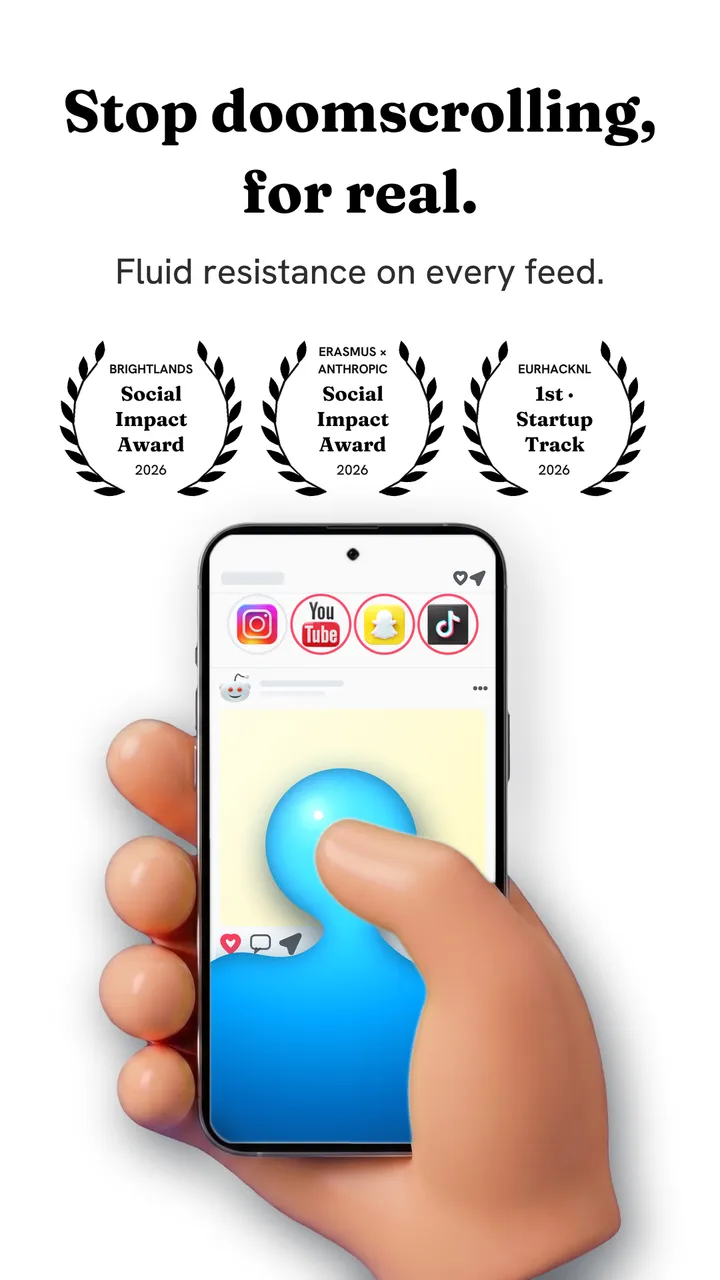
Fluid Friction combines two things the others keep separate. It removes the feeds you never chose, Reels, Shorts, For You and Spotlight, and it adds friction to the scrolling that remains: each swipe drags through on screen fluid, and the feed only moves after a small, deliberate push.
Because you are never locked out, there is nothing to resent and nothing to switch off in a weak moment, which is where most blockers end. Scheduled Blocking and Sleep & Alarm close apps in the hours you choose, when a wall is what you need. Every tool is free, with no account and no ads; the optional subscription only changes how the app looks. It is free on Google Play and on the App Store.
Which app to stop doomscrolling fits you
| If this is you | Try |
|---|---|
| You open apps on reflex, then leave quickly | A pause app: one sec or ScreenZen |
| You need the app gone during set hours | A blocker: Opal, AppBlock or Screen Time |
| Only Reels, Shorts or For You is the problem | A feed remover, or Fluid Friction's Feature Blocking |
| You have deleted blockers before | Friction: Fluid Friction |
| You want everything free, no ads | Fluid Friction, ScrollGuard, or Screen Time |
| You like a physical ritual | Brick, or an NFC tag with Fluid Friction |
What to check before you install any of them
- What is free after the trial. Several apps here show a free download and then ask for a subscription on the first screen. Check the in-app purchase list on the store page first.
- Whether it needs an account. An app that only changes your phone should not need your email.
- What it can see. On Android, blockers need permission to see which app is on screen; check that the developer says the data stays on your phone. On iPhone, apps that open social sites in their own browser should let you sign in on the site's own page.
- Whether it covers your phone. Several apps are iPhone only or Android only, so check before you get attached.
If you are leaving a particular app, our guides to an Opal alternative, a one sec alternative and a free SocialLite alternative go into the details.
Before choosing, it is worth reading how to stop doomscrolling, because the settings on your phone do half the work no matter which app you use.
Common questions
What is the best free app to stop doomscrolling?
It depends on how you scroll. Fluid Friction is free on iPhone and Android with no ads and combines feed blocking with friction. ScrollGuard is free for removing short video feeds, and ScreenZen has a generous free tier for pausing before apps open.
Do apps to stop doomscrolling actually work?
They work when the method matches how you scroll. Pauses help reflexive opening, blockers help set hours, feed removers help when one feed is the problem, and friction helps when sessions run long. Most fail when the person resents them and switches them off.
Is there an app that stops scrolling without blocking apps?
Yes. Fluid Friction keeps every app open and makes each swipe take a small push, so you can still scroll on purpose but not on autopilot. It also removes feeds like Reels if you want.
Which apps work on both iPhone and Android?
Fluid Friction, one sec, ScreenZen, AppBlock, ScrollGuard and SocialLite all run on both. NoScroll is Android only, and Screen Time is built into iPhone.
Are doomscrolling apps safe?
Look for apps that keep your data on your phone. Fluid Friction needs no account, never reads your messages, and on iPhone you sign in to social apps on their own pages, so it never sees your passwords.