Choosing a tool4 min read
ScrollGuard Alternative: Block Reels and Make the Rest Resist
ScrollGuard hides Reels and Shorts on Android and iPhone with a free core, and sells Pro from $2.99 to $69.99 on Google Play for per app controls and custom scroll modes. A ScrollGuard alternative is Fluid Friction: the same feeds removed for free, plus friction on every swipe of the feed you keep, with no account and no ads.
On this page (7 sections)
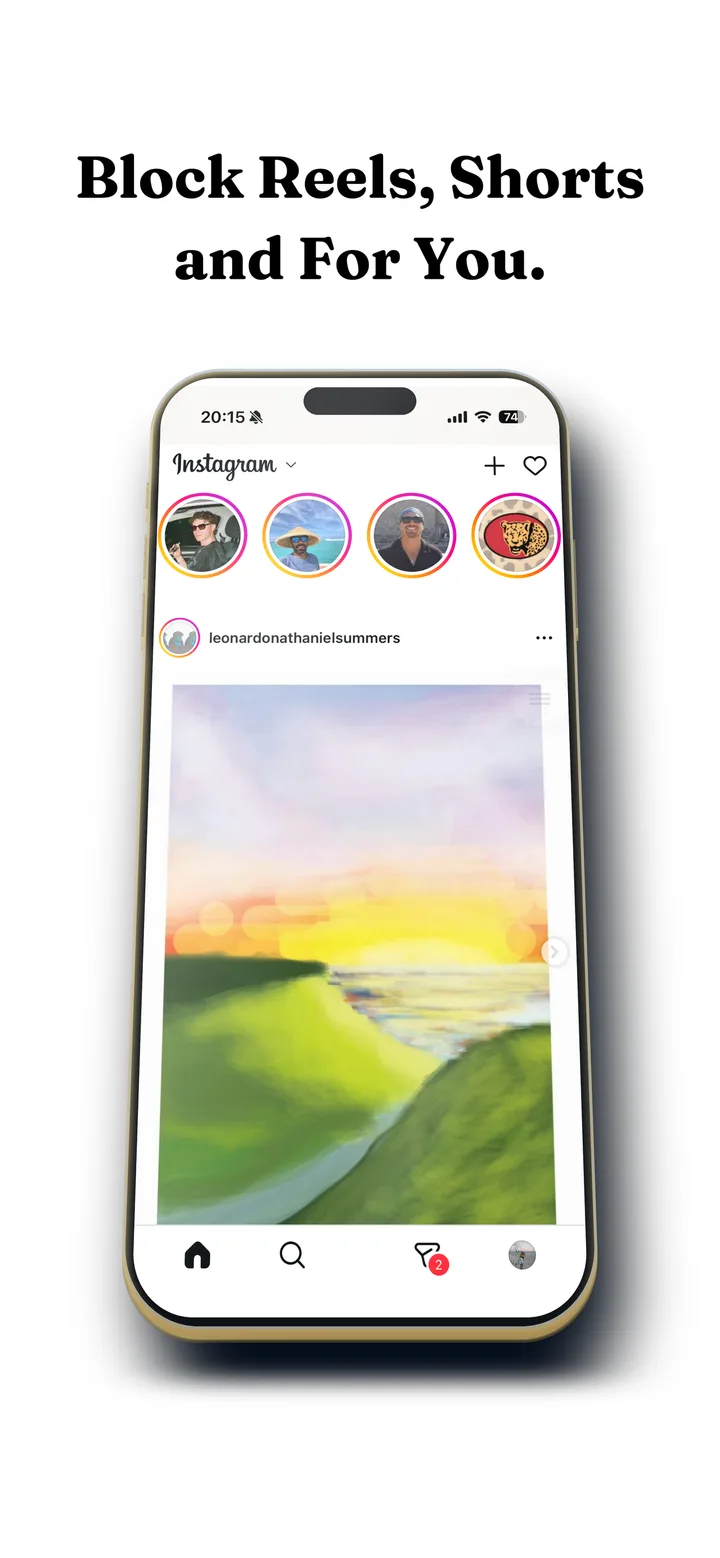
ScrollGuard is a good app, and a fair one. It hides Reels and Shorts while DMs, stories and posts keep working, and its core is free on both phones. If it does the job for you, keep it.
So people who search for a ScrollGuard alternative are usually not running from a paywall. They want one of two things: the controls that sit in ScrollGuard Pro, which Google Play lists from $2.99 to $69.99 and the App Store from $3.99 to $59.99, or something for the feed that is left once Reels are gone. We build one of the alternatives, Fluid Friction, so read this as interested rather than neutral.
ScrollGuard vs Fluid Friction
From ScrollGuard's site and store listings, checked in October 2026.
| ScrollGuard | Fluid Friction | |
|---|---|---|
| iPhone and Android | Yes | Yes |
| Removes Reels and Shorts, keeps DMs | Yes, free | Yes, free |
| How it works on iPhone | Clean web versions of social apps in Safari | Social apps in its own browser |
| How it works on Android | Accessibility service, inside the real apps | Accessibility service, inside the real apps |
| Per app controls, custom scroll modes | Pro | Free |
| Friction on the feed you keep | No, an optional pause popup after long sessions | Yes, on every swipe |
| Password protected strict mode | Yes | PIN lock with a friend or parent, free |
| Paid tier | Pro, $2.99 to $69.99 on Google Play | Optional cosmetic subscription only |
What ScrollGuard does well
- A generous free core. Blocking Reels and Shorts works without paying, which is rarer in this category than it should be.
- Wide coverage. On Android it lists Instagram, YouTube, TikTok, Facebook, Snapchat, Reddit and LinkedIn. On iPhone it adds X, though not Snapchat.
- Accountability. Settings can be locked with a password you give to a friend, and pausing protection has limits so it cannot be paused forever.
- A scroll timer. After a long session, a popup asks you to pause or quit.
Why people look for a ScrollGuard alternative
They want the Pro controls without paying. Per app settings and custom scroll detection sit in Pro. In Fluid Friction every blocking control is free, and the optional subscription only changes themes and dark mode.
The feed that remains still wins. With Reels gone, the home feed is still an infinite column that moves for free with one flick. A popup after a long session interrupts once; friction on the gesture interrupts every time, which is the difference covered in friction versus blocking.
They want more than feed removal. Schedules, a focus timer, NFC tags that switch the rules on, or a calm screen that blocks whole apps.
What Fluid Friction does differently
On Android, Feature Blocking closes Instagram Reels, YouTube Shorts, TikTok For You and Snapchat Spotlight inside the real apps, the same route ScrollGuard takes; the setup is in how to block Instagram Reels on Android. On iPhone, Instagram, TikTok, YouTube, Reddit, X, Snapchat, Facebook and LinkedIn open in Fluid Friction's own browser, covered in how to block Instagram Reels on iPhone.
Then every swipe on the feed you keep drags through on screen fluid, and past a threshold a bubble has to rise off the screen before the feed moves.
Around that, all free: app blocking behind a calm screen that counts your opens left, schedules, a focus timer and NFC profiles. It is free on Google Play and the App Store.
What to check before you switch
The same few questions apply to ScrollGuard, Fluid Friction and every other app in this category.
- What the free version leaves out. ScrollGuard keeps blocking free and charges for per app controls; Fluid Friction charges only for themes. Check what you actually need before a trial ends.
- How it works on your phone. On Android both apps act inside the real apps through the accessibility service. On iPhone both use a browser, because iOS lets no app change another app, so you open that app instead of Instagram.
- What happens to the feed that remains. Removing Reels is the first step. Whether the home feed still moves for free is what decides the evening.
- How it holds up in week three, after the novelty has gone. The mechanics of why friction lasts longer than a one off popup are in how scroll friction works.
Which one to pick
- You only want Reels and Shorts gone, and the free core covers you: ScrollGuard does that well.
- You want per app controls without a subscription: Fluid Friction.
- Reels are gone and you still lose the evening to the home feed: friction is the part that changes that, and only Fluid Friction has it.
Common questions
Is ScrollGuard free?
ScrollGuard's core blocking is free on Android and iPhone. ScrollGuard Pro adds per app controls and custom scroll detection modes, with in-app purchases from $2.99 to $69.99 on Google Play and $3.99 to $59.99 on the App Store.
What does ScrollGuard Pro add?
According to ScrollGuard's site, Pro adds per app controls and custom scroll detection modes, and on iPhone unlimited custom filters. Blocking Reels and Shorts itself works on the free version.
How is ScrollGuard different from Fluid Friction?
Both remove Reels and Shorts and keep DMs. Fluid Friction also adds friction to every swipe of the feed you keep, plus schedules, app blocking and NFC profiles, all free. ScrollGuard offers a pause popup after long sessions instead.
Does ScrollGuard work on iPhone?
Yes. On iPhone, ScrollGuard opens clean web versions of social apps and blocks addictive content in Safari. Fluid Friction works in a similar way on iPhone, through its own browser, because iOS does not let any app change another app.
Can I use ScrollGuard and Fluid Friction together?
On Android both watch the same screens, so turn off a feed in only one of them. On iPhone each uses its own browser, so pick the one you will open instead of the social app.